Password Reset Utility + Utility Suite
Forget your login password? We have all done it before and when It happens it can impact our lives greatly, well fortunately there is software to help us reset our login passwords. This software is very simple to use and will have you back into your system in no time. This bootable CD is a lifesaver I have used it to reset passwords on many computers now without fail and it couldn't be easier.
Includes Printed Instructions!!!!
Reset Windows Local Passwords
Remove Windows local administrator and other user passwords
Change Windows local administrator and other user passwords.
Create a new local admin account to unlock your computer.
Works for Windows 7/Vista/XP/2008/2003/2000
Reset Windows Domain Password
Change domain administrator and user password to a new one.
Create new local domain admin account to access Your Windows.
Works for Windows Server 2008(R2) 2003(R2) 2000 servers that act as domain controllers (only available for Active Directory Servers)
This Disc Contains Many Great Utilites
Partition/Format/Resize & Hard Drive Cloning Software
Data Recovery Software
Startup Repair
Find Product Keys & Serial #'s
MBR Recovery
This is a very very handy disc to have around!!
For Windows 8 Users
Important to Note that to use this disc on a windows 8 system you must turn off Secure Boot. Windows 8 systems use UEFI instead of BIOS. You will have to have a user account that you can still get into and then go to change PC Settings/General settings/Advanced Options and then go to UEFI firmware settings and disable UEFI which sets it to legacy mode. Then restart your Computer and You are good to go.
Disk is Bootable in the BIOS
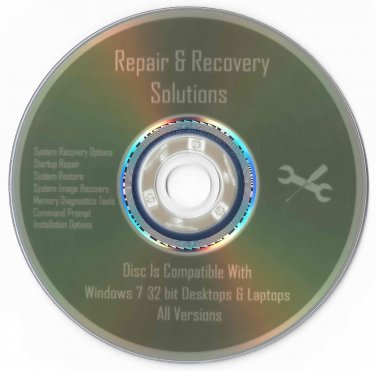
Disk is Professionally Labeled & Burned
Disk you will receive is exactly as pictured.
Here's How to Boot from BIOS:
When Your computer first starts watch closely to see what key you must hit to enter the BIOS setup, usually it's either F2 or Delete.
Change the boot order in BIOS so the CD, DVD, or BD drive is listed first. Some computers are already configured this way but many are not.
If the optical drive(cd-drive) is not first in the boot order, your PC will start "normally" (i.e. boot from your hard drive) without even looking at what might be in your disc drive.
Insert your bootable CD, DVD, or BD in your disc drive.
Restart your computer.
Watch for a Press any key to boot from CD or DVD... message.
When booting to a Windows setup disc, and some other bootable discs as well, you may be prompted with a message to press a key to boot to the disc. To boot from the disc, you'll need to press any key on your keyboard (like the space bar) within the few seconds that the message is on the screen.
If you do nothing, your computer will check for boot information on the next boot device in the list in BIOS (see Step 1) which will probably be your hard drive.
Some bootable discs do not prompt for a key press and will start immediately.
Posted with eBay Mobile