MemTest86+ 32x & 64x Newest Version
Memory is one of the leading causes of BSOD (Blue Screen Of Death) with this software you will be able to test your Ram & CPU to see whether or not anything needs to be replaced. MemTest86+ software is designed to stress test your Computer's Memory to see if there are any failures.
New Features in V. 5.01
Added support for up to 2 TB of RAM on X64 CPUs
Added experimental SMT support up to 32 cores (Press F2 to enable at startup)
Added complete detection for memory controllers
Added Motherboard Manufacturer & Model reporting
Added CPU temperature reporting
Added enhanced Fail Safe Mode (Press F1 at startup)
Added support for Intel "Sandy Bridge-E" CPUs
Added support for Intel "Ivy Bridge" CPUs
Added preliminary support for Intel "Haswell" CPUs (Core 4th Gen)
Added preliminary support for Intel "Haswell-ULT" CPUs
Added support for AMD "Kabini" (K16) CPUs
Added support for AMD "Bulldozer" CPUs
Added support for AMD "Trinity" CPUs
Added support for AMD E-/C-/G-/Z- "Bobcat" CPUs
Added support for Intel Atom "Pineview" CPUs
Added support for Intel Atom "Cedar Trail" CPUs
Added SPD detection on most AMD Chipsets
Memtest86+ is released under the terms of the Gnu Public License (GPL)
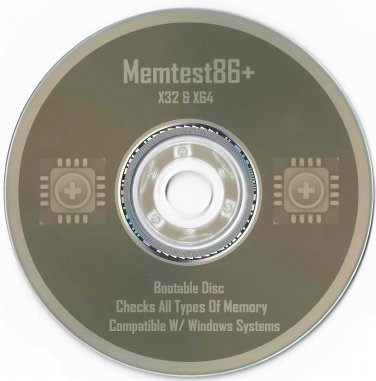
Disk is Bootable in the BIOS
Disk is Professionally Labeled & Burned
Disk you will receive is exactly as pictured.
Here's How to Boot from BIOS:
When Your computer first starts watch closely to see what key you must hit to enter the BIOS setup, usually it's either F2 or Delete.
Change the boot order in BIOS so the CD, DVD, or BD drive is listed first. Some computers are already configured this way but many are not.
If the optical drive(cd-drive) is not first in the boot order, your PC will start "normally" (i.e. boot from your hard drive) without even looking at what might be in your disc drive.
Insert your bootable CD, DVD, or BD in your disc drive.
Restart your computer.
Watch for a Press any key to boot from CD or DVD... message.
When booting to a Windows setup disc, and some other bootable discs as well, you may be prompted with a message to press a key to boot to the disc. To boot from the disc, you'll need to press any key on your keyboard (like the space bar) within the few seconds that the message is on the screen.
If you do nothing, your computer will check for boot information on the next boot device in the list in BIOS (see Step 1) which will probably be your hard drive.
Some bootable discs do not prompt for a key press and will start immediately.