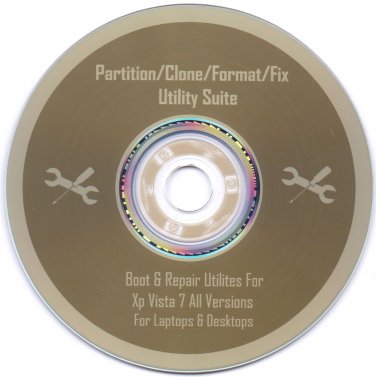
Bootable Utilities Disc For Windows XP Vista 7 All Versions
Most PC users these days buy a new PC or Laptop from Dell, Acer, ASUS, HP, Toshiba, IBM, or what have you and most of these machines these days do not come with Repair Utilities, they come with what's called a recovery partition. Well this Disc is loaded with Utilities for many different situations.
What this CD won't do is Install an OS onto your computer (Disc Does Not Contain OS). This disc will not restore your computer back to it's original factory settings. This Disk contains Boot & Repair Utilities Only, Once Again it does not Contain any OS of any Version whatsoever. This disc is NON-OEM software and contains no Key or COA and is Licensed Under GNU GPL. This Disk IS NOT A Microsoft Product.
With This Disk You Can Do:
· Boot problems: fix errors like disk boot failure, non-system disk or disk error, or any master boot record error
· Driver conflicts: uninstall or remove any conflicting, unnecessary, or old drivers and find the right ones
· Hard drive and data corruption: take care of these by backing up the data or test & recover your drive's bad sectors
· Hard drive replace: duplicate your drive to a new one, wipe your existing drive
· Internet & network connection issues: fix connection failures or just completely reset all internet settings to defaults
· Low on memory or Laggy going slow feeling- use a multitude of data optimizers & software tweakers to speed up your computer
· Partition problems or you just need to repartition: create, split, resize, format, recover or restore deleted boot partitions
· Password Reset & Recovery: reset forgotten Windows login password
· Recover license keys: lost Windows Office & Much more software license keys, or Wireless Network Keys, use this software to recover those as well
· Registry problems - monitor, clean, repair & optimize, backup & restore your registry
· Software incompatibility Issues unwanted applications and browser extensions: use tools to force uninstall and remove any program that's on your computer
· Virus, spyware & malware removal: multiple tools included so you can now get rid of any viruses you may have
And More...
This disc will come with Printed Instructions for use!
Unfortunately there are only two guarantees in life Death & Taxes so I CANNOT GUARANTEE this Disk will work for 100% of your problems, but it sure will give you a running start.
Disk is Bootable in the BIOS
Disk is Professionally Labeled & Burned
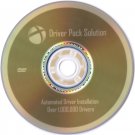
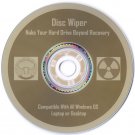
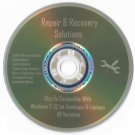
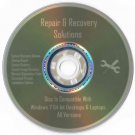
Disk you will receive is exactly as pictured.
Here's How to Boot from BIOS:
When Your computer first starts watch closely to see what key you must hit to enter the BIOS setup, usually it's either F2 or Delete.
Change the boot order in BIOS so the CD, DVD, or BD drive is listed first. Some computers are already configured this way but many are not.
If the optical drive(cd-drive) is not first in the boot order, your PC will start "normally" (i.e. boot from your hard drive) without even looking at what might be in your disc drive.
Insert your bootable CD, DVD, or BD in your disc drive.
Restart your computer.
Watch for a Press any key to boot from CD or DVD... message.
When booting to a Windows setup disc, and some other bootable discs as well, you may be prompted with a message to press a key to boot to the disc. To boot from the disc, you'll need to press any key on your keyboard (like the space bar) within the few seconds that the message is on the screen.
If you do nothing, your computer will check for boot information on the next boot device in the list in BIOS (see Step 1) which will probably be your hard drive.
Some bootable discs do not prompt for a key press and will start immediately.
Posted with eBay Mobile