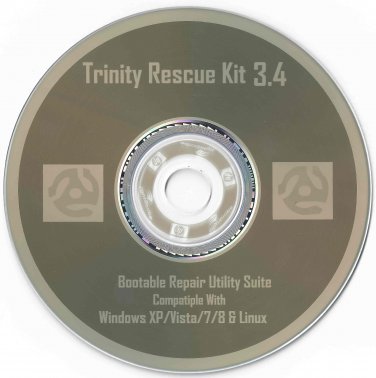
Trinity Rescue Kit 3.4
Trinity Rescue Kit or TRK is a live Linux distribution that aims specifically at recovery and repair operations on Windows machines, but is equally usable for Linux recovery issues. Since version 3.4 it has an easy to use scrollable text menu that allows anyone who masters a keyboard and some English to perform maintenance and repair on a computer, ranging from password resetting over disk cleanup to virus scanning & removal.
Here 's a sumup of some of the most important features, new and old:
-easily reset windows passwords with the improved winpass tool
-simple and easy menu interface
-5 different virus scan products integrated in a single uniform commandline with online update capability
-full ntfs write support thanks to ntfs-3g
-winclean, a utility that cleans up all sorts of unnecessary temporary files on your computer.
-clone computers over the network via multicast.
-wide range of hardware support (kernel 2.6.35 )
-contributed backup utility called "pi", to automate local machine backups
-easy script to find and mount all local file systems
-self update capability to include and update all virus scanners + local changes you made to TRK.
-full proxy server support.
-run a samba fileserver (windows like filesharing)
-run a ssh server
-recovery and undeletion of files with utilities and procedures
-recovery of lost partitions
-evacuation of dying disks
-full read/write and rpm support
-UTF - 8 international character support (select keyboard language from the scrollable textmenu at startup)
-2 root kit detection utilities
-most software updated to recent versions
-literally thousands of changes and bug fixes since version 3.3
Trinity Rescue Disc is Licensed Under GNU GPL
Disk is Bootable in the BIOS
Disk is Professionally Labeled & Burned
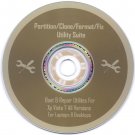
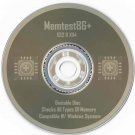
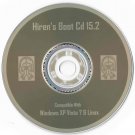
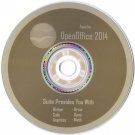
Disk you will receive is exactly as pictured.
Here's How to Boot from BIOS:
When Your computer first starts watch closely to see what key you must hit to enter the BIOS setup, usually it's either F2 or Delete.
Change the boot order in BIOS so the CD, DVD, or BD drive is listed first. Some computers are already configured this way but many are not.
If the optical drive(cd-drive) is not first in the boot order, your PC will start "normally" (i.e. boot from your hard drive) without even looking at what might be in your disc drive.
Insert your bootable CD, DVD, or BD in your disc drive.
Restart your computer.
Watch for a Press any key to boot from CD or DVD... message.
When booting to a Windows setup disc, and some other bootable discs as well, you may be prompted with a message to press a key to boot to the disc. To boot from the disc, you'll need to press any key on your keyboard (like the space bar) within the few seconds that the message is on the screen.
If you do nothing, your computer will check for boot information on the next boot device in the list in BIOS (see Step 1) which will probably be your hard drive.
Some bootable discs do not prompt for a key press and will start immediately.